
[SOLVED]820-3115 cycle booting

Status
Not open for further replies.

nate8organic

New member
Customer sent in a 820 3115 a1278, said he received it from a friend hes not sure what they might have done, he used it for about 8 months and then it stopped working. i opened it up, some liquid damage, but more interesting was metallic looking flakes all over and what looks like they heated the thing up at one point. the screen was even making lines down it. it turns on and boots to the apple logo it then shows the mouse cursor and then flashes screens and back to the apple logo and just keeps repeating. i was thinking at first the liquid and metallic stuff might had been making a short causing it to cycle boot but i ran it through the uc and that took away the black lines but its still cycle booting. i put in a test os x drive to confirm its not the drive. any specific components or areas i should take note of here? tried removing everything unnecessary but no change. i cant seem to find asd 3s150 anywhere so haven't been able to run any asd tests unfortunately.
 

dukefawks

Administrator
The OS version will probably cycle boot too. You said it had liquid damage, at this point you need to inspect for corroded resistors or traces.
Does it shut off completely and chime again and then boot?
 

nate8organic

New member
The exact problem is, i turn it on apple logo appears, then it goes to start the os screen and the mouse cursor shows up then it hits reload again the mouse goes away and then comes back ( it does not boot back to the apple logo but instead stays at the final boot up with the spinning load circle. But right now i was just testing to tell you exactly what it does and its been lagging for a few secs at the startup but then opens into os normally i tried this 3 times now and it seems to be working. not sure why it works and then doesn't. it still seems to be doing it though i tried 5 times and now its doing the same thing over and over load spin the mouse shows up goes away and the load spins again it keeps doing this until i restart. unlike before when it was lagging but would end up fully loading. The owner also said that sometimes if he put pressure on the macbook it would fully boot for him also. I will look for traces of damaged areas. there was never any corrosion.
 

nate8organic

New member
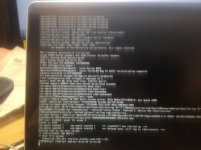
ever since i booted it in safe mode and tried booting normal it worked and hasn't hung up on the load screen again yet after 10 tries. it still is working but dont want to think its fixed out of the air lol. i did boot in verbose mode it wont crash as it end up fully booting into osx not sure if that just part of the luck im having right now. took some photos of the verbose. let me know if you can read that.
 

Attachments

  • siz.jpg
    siz.jpg
    98.1 KB · Views: 0
Last edited:

nate8organic

New member
also im getting blocks on the screen from the T4001, it only happens if the computer gets tapped or bumped and if i press on the t4001 it fixes it for a short time. (idk what the proper name is for it). How do i fix or replace this?

i have been able to boot into osx fully with no troubles so far not sure what the prob could be or was, still got me pretty tripped out haha
 
Status
Not open for further replies.
Top