820-3462-A A1425 Doesn't see ssd

tipoti

Member
820-3462-A A1425 ssd doesn't appear
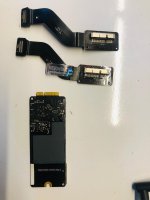
I think they tried a ssd converter on it and now not even its original ssd appear.
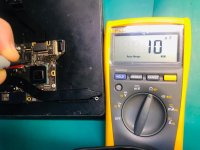
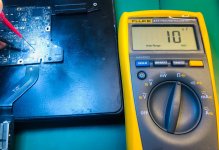
I get 3.3v on J4500 as instructed by its schematics.
Where should I focus now?
(Smc...) (U4900....) It goes through U4900. Could the problem be on U4900?
Device works but ssd doesn't appear at all.
 

2informaticos

Administrator
Staff member
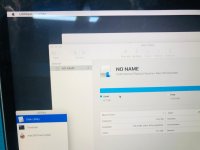
Boot USB macOS and check if internal SSD is at least det4ected in Disk Utility.
This test is good to discard a problem with partitions; like deleted, or APFS.

Check first L4500/10.
 

tipoti

Member
hi,
i already checked it L4500 i wrote above text (I get 3.3v on J4500 ) so do i need to check U4900 (Smc) ?
And also I checked ssd cable and tried diffrent cable but doesnt see ssd. And i checked ssd with different device, it works.


1.jpeg 2.jpeg
 

piernov

Moderator
Staff member
Remember to change the view in Disk Utility to show all devices and partitions rather than just valid volumes.
 

tipoti

Member
I get 3.3v on I4500 and 5v on L4510 but this line cannot be used for SSD. I think it's SATA GUMSTICK2. For normal HDD, I get 3.3v on 1 to 14 on J4500. The owner said that it's been like this since they tried to replace the SSD.
 

tipoti

Member
SATA_SSDRHDD_D2R_P , SATA_SSDRHDD_D2R_N, SATA_SSDRHDD_R2D_P, SATA_SSDRHDD_R2D_N
There are 4 lines through the hdd socket, none of which seems damaged.If you could be more explanatory, I can move forward more easily Could you give me directions from the schematics on which path should I take or which lines should I test?
 

2informaticos

Administrator
Staff member
Check R4506/07/08/10 and C4517/18/22/25.
Also check diode mode to ground on these lines.

Try known good SSD flex too.
Do not trust new chinese bulshits.
 

2informaticos

Administrator
Staff member
SSD data lines have series caps.
Did you check diode mode on the PCH's side of them?
You can also check the other side, when SSD is connected.
 
Top